Seuraavassa kuvataan NetHSM-järjestelmäohjelmiston päivitysprosessi. Tätä asennustapaa tulisi käyttää vain, jos osoitteessa Software Update kuvattua päivitystä ei ole saatavilla. Noudata ohjeita tarkasti, jotta vältät tietojen tahattoman poistamisen. On suositeltavaa viedä varmuuskopio NetHSM:stä ennen päivityksen suorittamista.
The system software update can be performed as follows.
Download the installer image ending with installer.img.zip from the provided private download page.
Pura asennusohjelman kuva.
Write the installer image to a USB flash drive.
For this you could use the graphical tool balenaEtcher.
On Linux you could also use the command line tool dd.
Ignore any warning that a partition table is missing.
Sammuta NetHSM ja irrota se virtalähteestä.
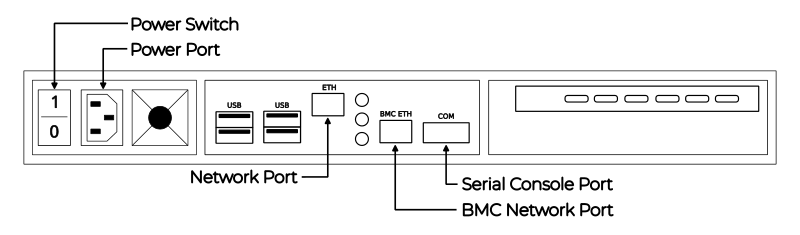
Liitä USB-muistitikku mihin tahansa etupaneelin USB-porttiin tai johonkin laitteen takapaneelin keskellä sijaitsevista kahdesta USB 2.0 -portista. USB 2.0 -porteissa on musta insertti portin keskellä.
Muista
Some USB drives are incompatible with the NetHSM.
This results in the NetHSM not recognizing them as a boot media.
In case the NetHSM does not boot from the connected USB drive, try a different USB drive model.
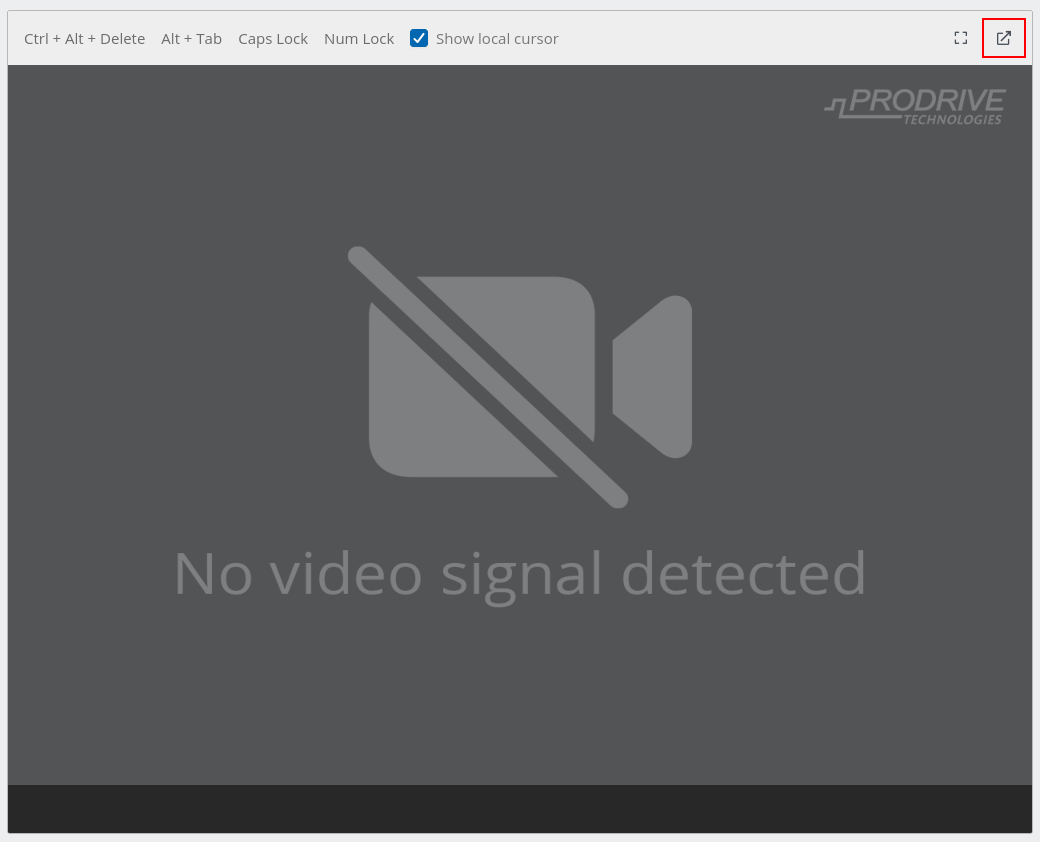
Connect a monitor and optionally a keyboard to the NetHSM.
Muista
Varmista, että USB-portteihin on kytketty vain näppäimistö ja muistitikku.
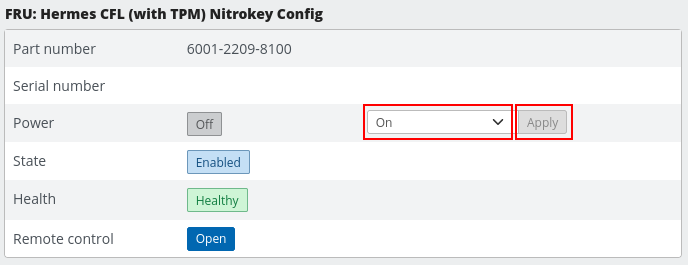
Connect the NetHSM to power and wait for 10 seconds.
Turn on the NetHSM by pressing the power button on the front.
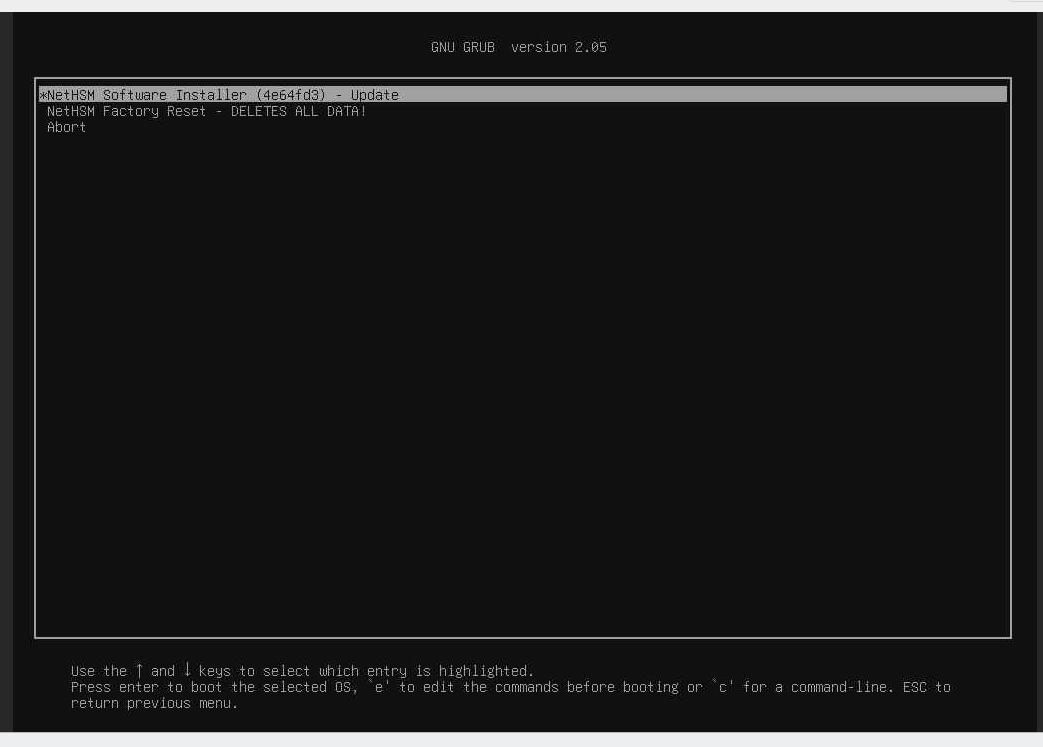
Noin 30 sekunnin kuluttua NetHSM näyttää käynnistysvalikon näytöllä. Käynnistysvalikossa on oletuksena valittuna ohjelmistopäivityksen suorittaminen. Tämä kestää noin 2 minuuttia. Laite sammuu automaattisesti päivityksen jälkeen.
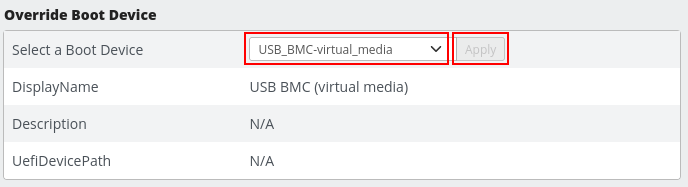
Vaihtoehtoisesti voit valita käynnistysvalikon vaihtoehdot manuaalisesti.
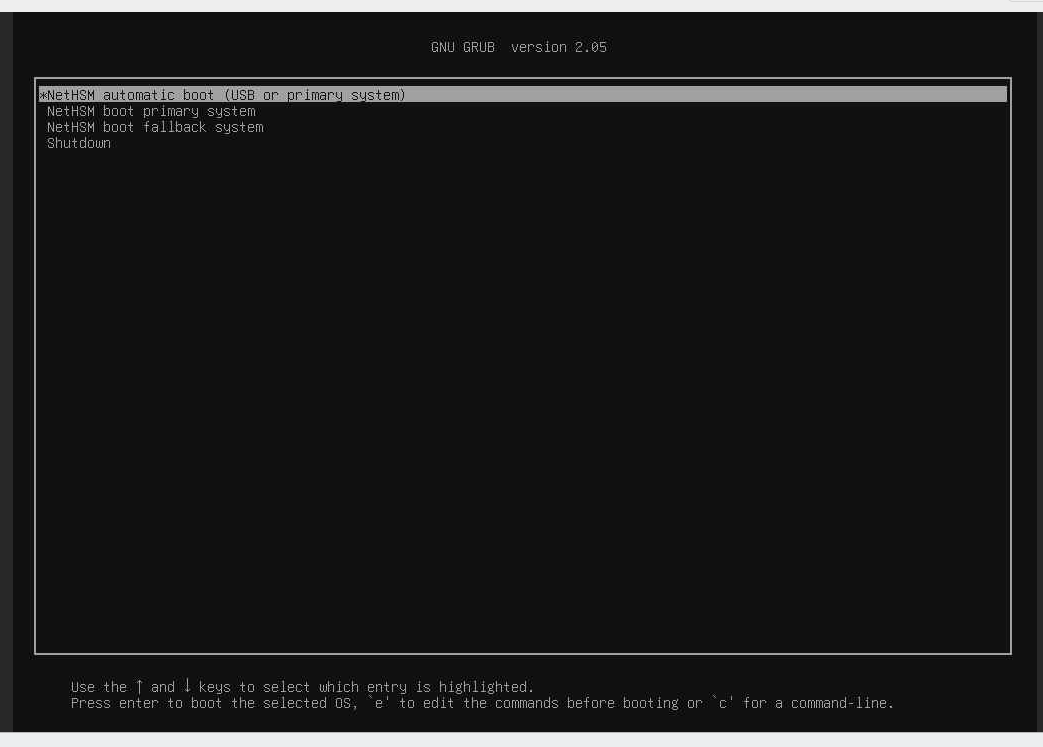
In the first boot menu select NetHSM automatic boot (USB or primary system).
Oletusarvoisesti BMC odottaa osoitteen määrittämistä DHCP:n avulla. Jos DHCP ei ole käytettävissä, linkin paikallinen osoite voidaan määrittää Nmapin avulla. Komento nmap<network-in-cidr-notation>-p80--open palauttaa luettelon isännistä, joilla on avoin portti 80.
Avaa BMC:n verkkosivusto verkkoselaimella käyttäen edellisessä vaiheessa määritettyä IP-osoitetta. Sisäänkirjautumista varten oletusarvoiset tunnistetiedot ovat käyttäjänimi bmc_admin ja salasana 8mCU$3r0nE.
Tärkeä
In case you encounter an unauthorized login error on the BMC web interface it can be one of the following issues.
Käyttäjätunnus tai salasana väärin.
Tehdasasetusten palautuksen aikana BMC luo uuden TLS-varmenteen. Jotkin verkkoselaimet epäonnistuvat yhteysvirheiden vuoksi, kun varmenne vaihtuu saman ikkunan pysyessä auki. Sulje verkkoselaimen ikkuna ja avaa uusi ikkuna.
BMC-ohjelmisto näyttää joskus ongelman, että se ei hyväksy vanhempia istuntoevästejä, jotka ovat edelleen selaimen välimuistissa. Tyhjennä verkkoselaimen välimuisti ja yritä uudelleen.
Mount the downloaded installer image by clicking in the menu on the left on FRU: Hermes CFL (with TPM) Nitrokey Config followed by Virtual media in the submenu.
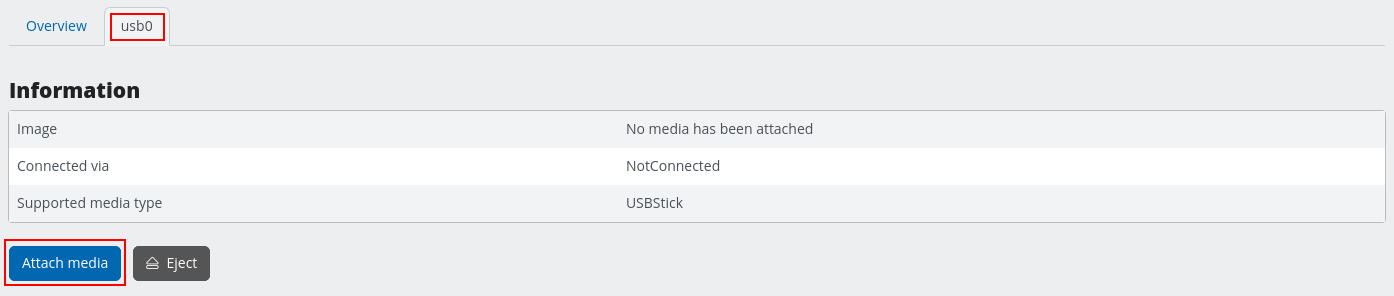
In the middle open the tab usb0, and click the button Attach media.
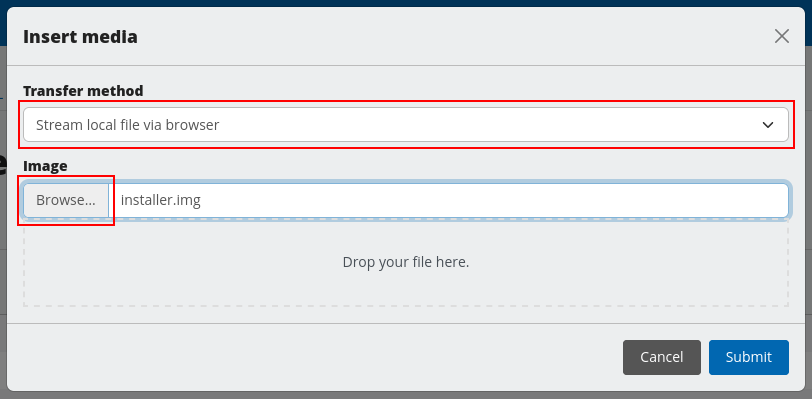
In the opening dialog choose Stream local file via browser as the Transfer method.
Click the button Browse… and choose the downloaded installer image.
Confirm the operation with the Submit button.