NitroPad, NitroPC FAQ
- Q: What is the default hard-disk encryption password?
Nitropad 磁盘加密的默认密码为 "12345678"。该密码已于 15.01.2024 更改,因此如果 "12345678 "无法使用,请尝试旧的默认密码:"PleaseChangeMe"。
- Q: How to change the hard-disk encryption password from within HEADS?
This is the preferred way to change the hard-disk encryption password. Inside HEADS choose
Options -> Change LUKS Disk Recovery Key passphraseand follow the instructions.
- Q: How to change the hard-disk encryption password from within the OS?
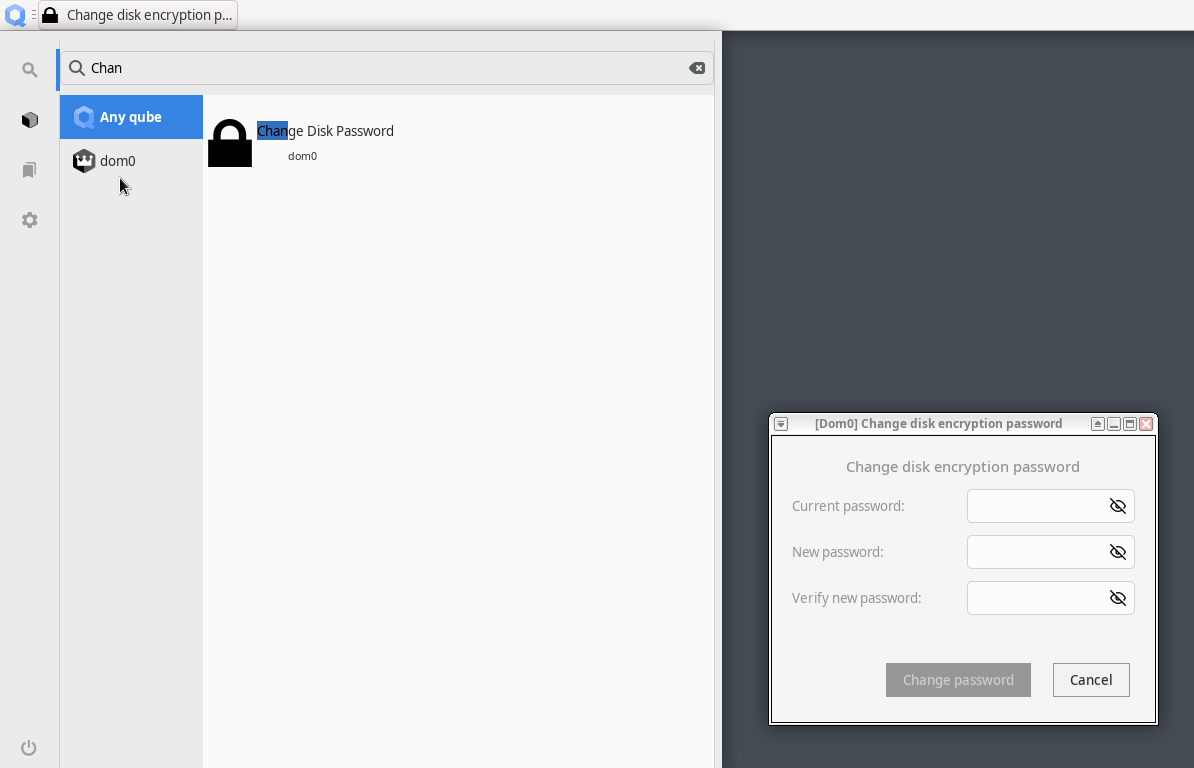
使用默认的``cryptsetup`` 工具时,必须注意使用正确的键位:sudo cryptsetup luksChangeKey --key-slot=0 /dev/nvme0n1p3` 或``sudo cryptsetup luksChangeKey --key-slot=0 /dev/sda3``。在 Qubes 4.2 中也有一个图形用户界面工具:
- Q: What is re-ownership / re-encryption and why is it important?
Changing your hard-disk encryption password does not change the encryption itself, just the access to the encryption key. This means that in a situation where somebody had physical access to the device (e.g., during shipment) they may have copied the LUKS header, i.e., the encryption key. Using this copy, one might decrypt the hard-disk even with a new password being set. This is why the re-ownership wizard proposes to re-encrypt the hard-disk, which re-encrypts in place ensuring the previously described scenario cannot be applied.