Naudotojo ir administratoriaus PIN kodo keitimas
Compatible Nitrokeys |
|||||||
|---|---|---|---|---|---|---|---|
✓ active |
⨯ inactive |
⨯ inactive |
✓ active |
⨯ inactive |
✓ active |
✓ active |
⨯ inactive |
Naudotojo PIN kodas
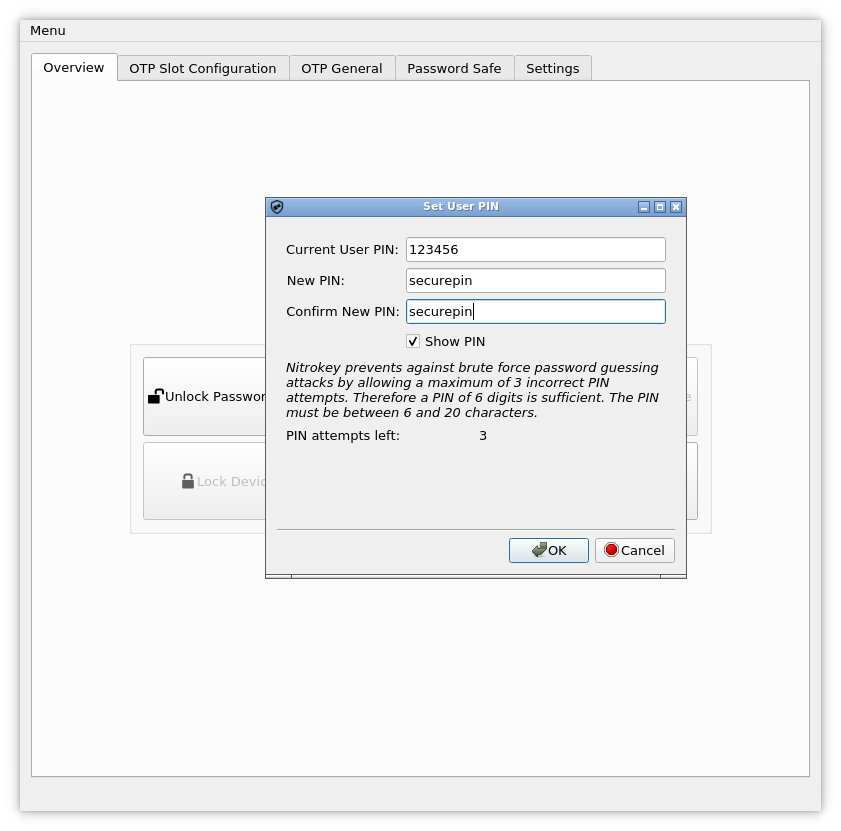
The user PIN is at least 6-digits long and is used to get access to the content of the Nitrokey. This is the PIN you will use a lot in every day use e.g. for decrypting messages, for unlocking your encrypted storage (NK Storage only) etc.
You can change the user PIN with the Nitrokey App if using a Nitrokey Pro or Nitrokey Storage. In the Nitrokey App open Menu ->
Configure -> Change User PIN to open the dialog to change the PIN.
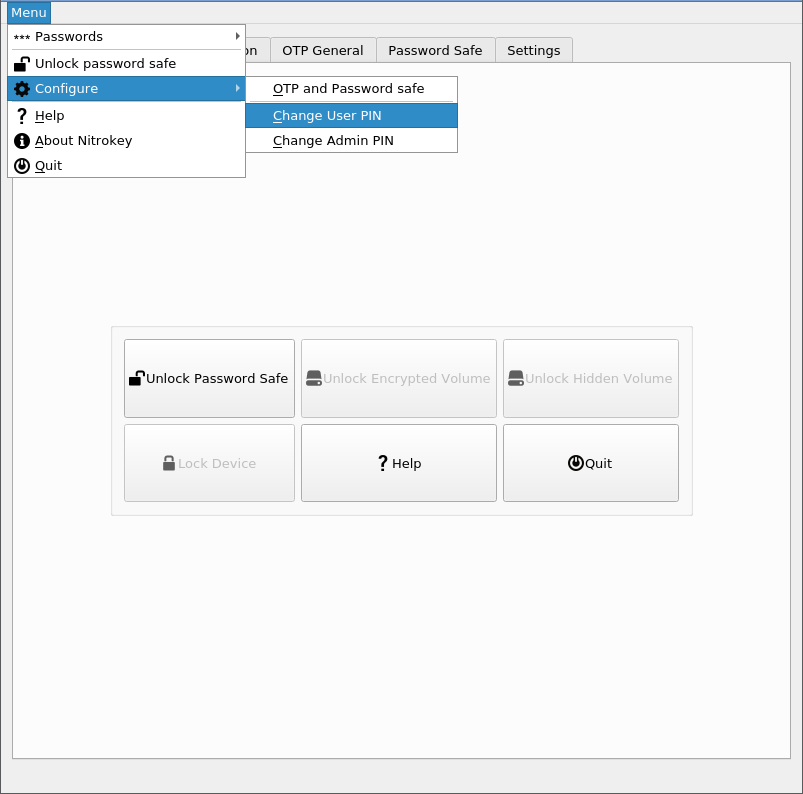
Dabar dialogo lange galite keisti naudotojo PIN kodą.
The user PIN can have up to 20 digits and other characters (e.g. alphabetic and special characters). But as the user PIN is blocked as soon three wrong PIN attempts were done, it is sufficiently secure to only have a 6 digits PIN. The default PIN is 123456.
Administratoriaus PIN kodas
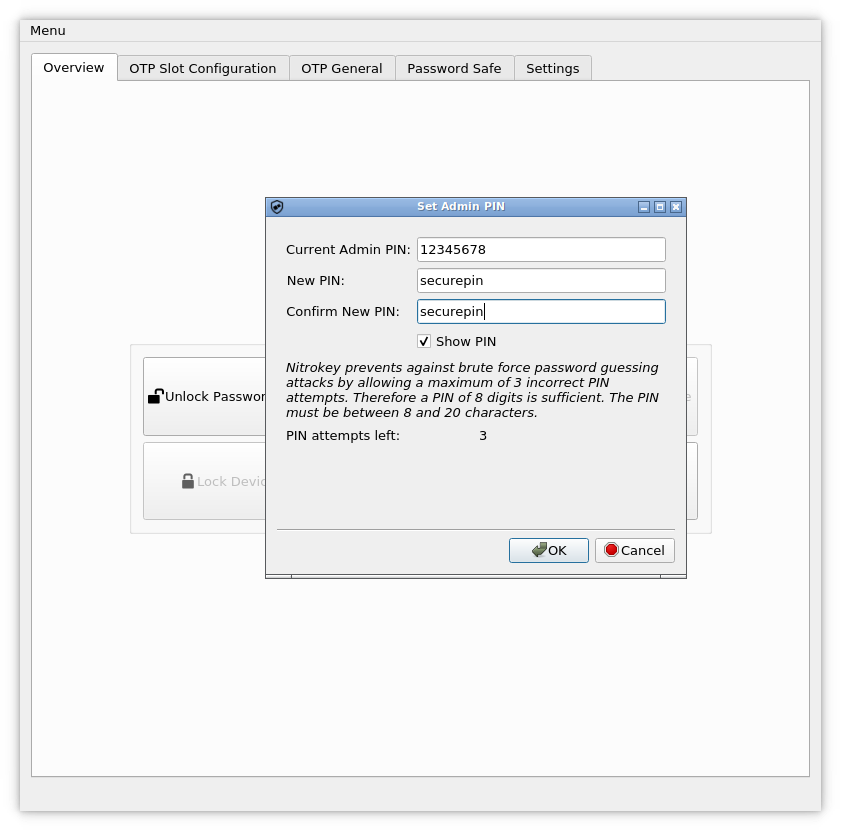
Administratoriaus PIN kodas yra bent 8 skaitmenų ilgio ir naudojamas norint pakeisti „Nitrokey“ turinį ir nustatymus. Tai reiškia, kad po „Nitrokey“ inicializavimo šio PIN kodo tikriausiai neprireiks per dažnai (pvz., jei norėsite į „Nitrokey Pro“ arba „Nitrokey Storage“ slaptažodžių seifą įtraukti kitą slaptažodį).
You can change the admin PIN with the Nitrokey App if using a Nitrokey Pro or Nitrokey Storage. In the Nitrokey App open Menu -> Configure ->
Change Admin PIN to open the dialog to change the PIN.
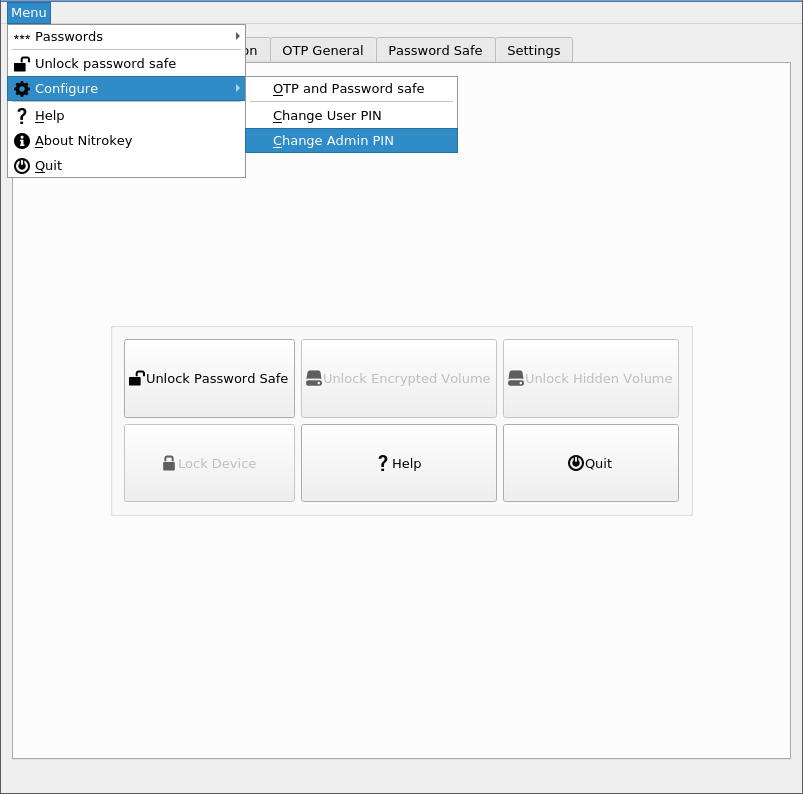
Dabar galite keisti administratoriaus PIN kodą dialogo lange.
The admin PIN can have up to 20 digits and other characters (e.g. alphabetic and special characters). But as the admin PIN is blocked as soon three wrong PIN attempts were done, it is sufficiently secure to only have 8 digits PIN. The default PIN is 12345678.