NitroPad, NitroPC FAQ
- Q: What is the default hard-disk encryption password?
Parola implicită de criptare a discului Nitropad: „12345678”. Aceasta a fost schimbată la data de 15.01.2024, așa că dacă „12345678” nu funcționează, încercați vechea parolă implicită: „PleaseChangeMe”.
- Q: How to change the hard-disk encryption password from within HEADS?
This is the preferred way to change the hard-disk encryption password. Inside HEADS choose
Options -> Change LUKS Disk Recovery Key passphraseand follow the instructions.
- Q: How to change the hard-disk encryption password from within the OS?
Utilizând instrumentele implicite
cryptsetupeste important să rețineți că este utilizat slotul de taste corect:sudo cryptsetup luksChangeKey --key-slot=0 /dev/nvme0n1p3sausudo cryptsetup luksChangeKey --key-slot=0 /dev/sda3. În Qubes 4.2 există acum și un instrument GUI pentru acest lucru: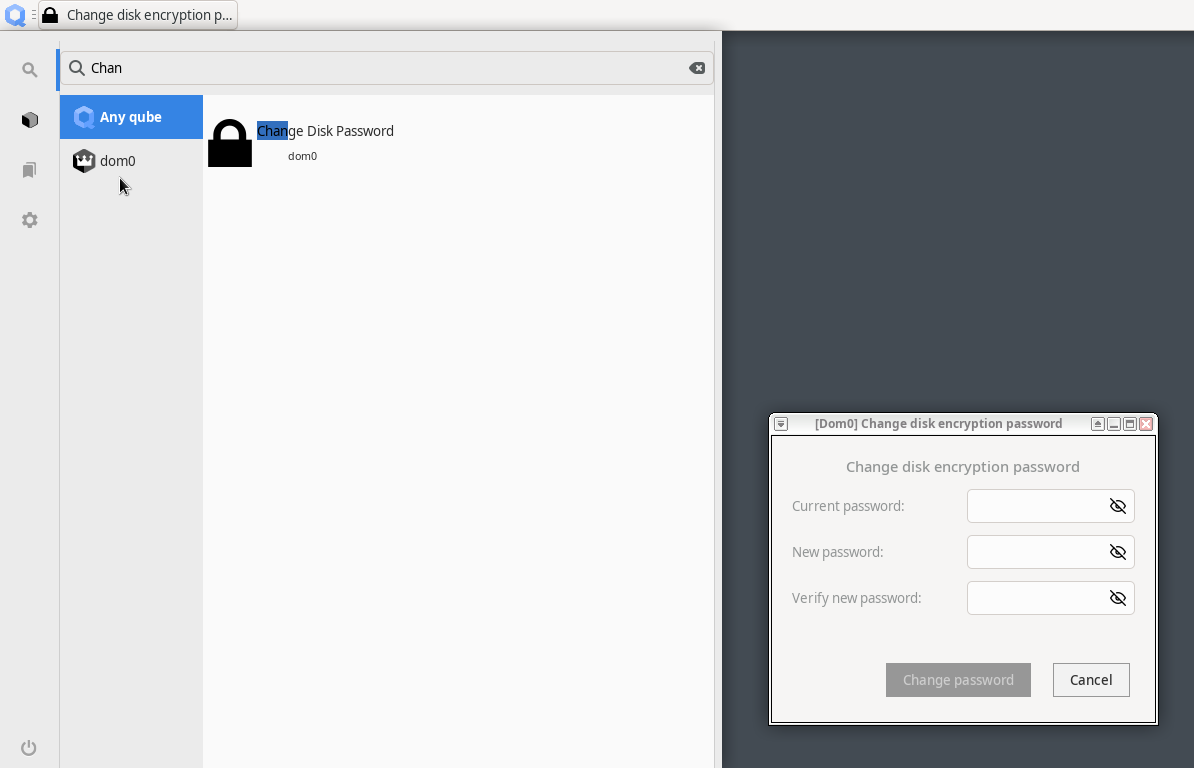
- Q: What is re-ownership / re-encryption and why is it important?
Changing your hard-disk encryption password does not change the encryption itself, just the access to the encryption key. This means that in a situation where somebody had physical access to the device (e.g., during shipment) they may have copied the LUKS header, i.e., the encryption key. Using this copy, one might decrypt the hard-disk even with a new password being set. This is why the re-ownership wizard proposes to re-encrypt the hard-disk, which re-encrypts in place ensuring the previously described scenario cannot be applied.