NitroPad, NitroPC FAQ
- Q: What is the default hard-disk encryption password?
Das Standardpasswort für die Nitropad-Festplattenverschlüsselung: „12345678“. Dies wurde am 15.01.2024 geändert. Wenn „12345678“ nicht funktioniert, versuchen Sie es mit dem alten Standard: „PleaseChangeMe“.
- Q: How to change the hard-disk encryption password from within HEADS?
This is the preferred way to change the hard-disk encryption password. Inside HEADS choose
Options -> Change LUKS Disk Recovery Key passphraseand follow the instructions.
- Q: How to change the hard-disk encryption password from within the OS?
Bei der Verwendung der Standardwerkzeuge
cryptsetupist darauf zu achten, dass der richtige Schlüsselplatz verwendet wird: sudo cryptsetup luksChangeKey –key-slot=0 /dev/nvme0n1p3 ` odersudo cryptsetup luksChangeKey --key-slot=0 /dev/sda3. In Qubes 4.2 gibt es jetzt auch ein GUI-Tool dafür: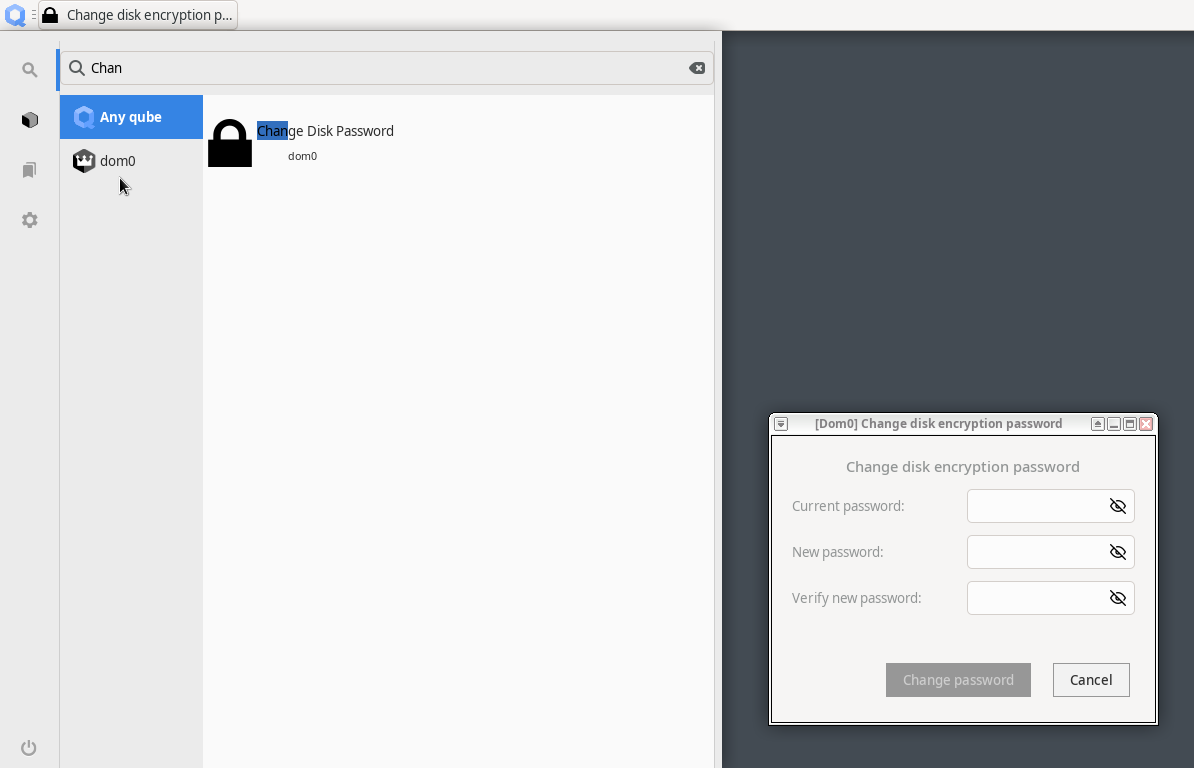
- Q: What is re-ownership / re-encryption and why is it important?
Changing your hard-disk encryption password does not change the encryption itself, just the access to the encryption key. This means that in a situation where somebody had physical access to the device (e.g., during shipment) they may have copied the LUKS header, i.e., the encryption key. Using this copy, one might decrypt the hard-disk even with a new password being set. This is why the re-ownership wizard proposes to re-encrypt the hard-disk, which re-encrypts in place ensuring the previously described scenario cannot be applied.