Di seguito viene descritta la procedura di aggiornamento del software di sistema NetHSM. Questo metodo di installazione deve essere utilizzato solo se l’aggiornamento descritto all’indirizzo Software Update non è disponibile. Seguire scrupolosamente le istruzioni per evitare qualsiasi cancellazione accidentale dei dati. Si raccomanda di esportare un backup dal NetHSM prima di eseguire l’aggiornamento.
The system software update can be performed as follows.
Download the installer image ending with installer.img.zip from the provided private download page.
Decomprimere l’immagine del programma di installazione.
Write the installer image to a USB flash drive.
For this you could use the graphical tool balenaEtcher.
On Linux you could also use the command line tool dd.
Ignore any warning that a partition table is missing.
Collegare la chiavetta USB a una qualsiasi porta USB sul pannello frontale oppure a una delle due porte USB 2.0 situate al centro del pannello posteriore dell’apparecchio. Le porte USB 2.0 sono contrassegnate da un inserto nero al centro della porta.
Nota
Some USB drives are incompatible with the NetHSM.
This results in the NetHSM not recognizing them as a boot media.
In case the NetHSM does not boot from the connected USB drive, try a different USB drive model.
Spegnere il NetHSM e scollegarlo dall’alimentazione.
Connect a monitor and optionally a keyboard to the NetHSM.
Nota
Assicurati che alle porte USB siano collegati solo la tastiera e la chiavetta USB.
Connect the NetHSM to power and wait for 10 seconds.
Turn on the NetHSM by pressing the power button on the front.
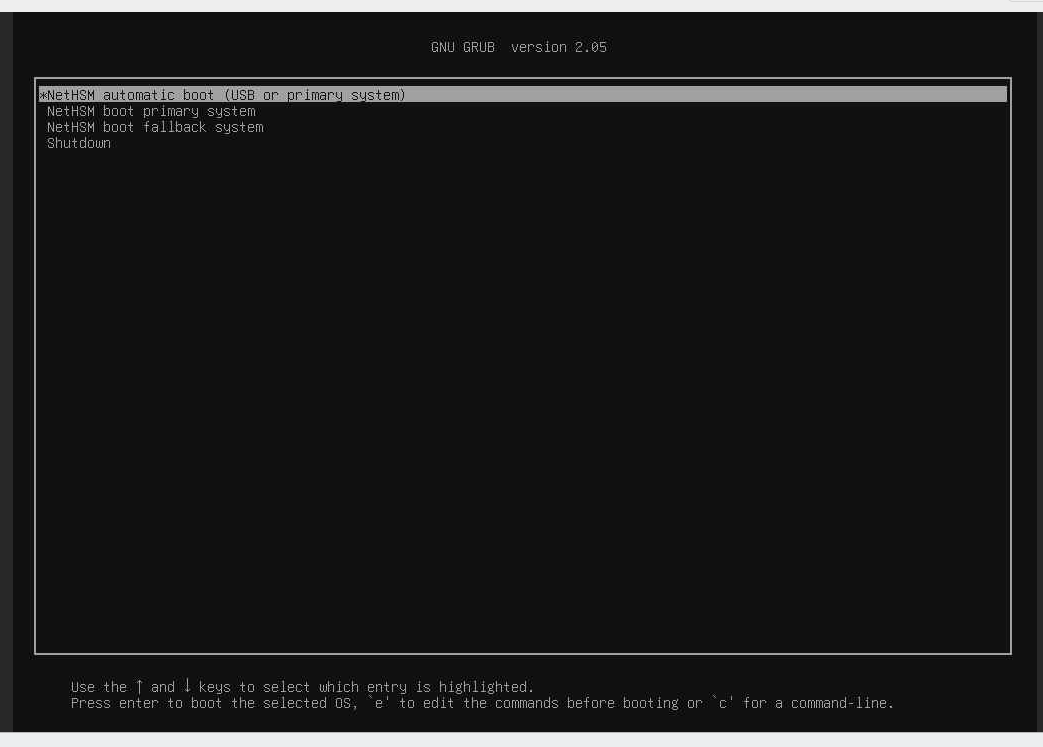
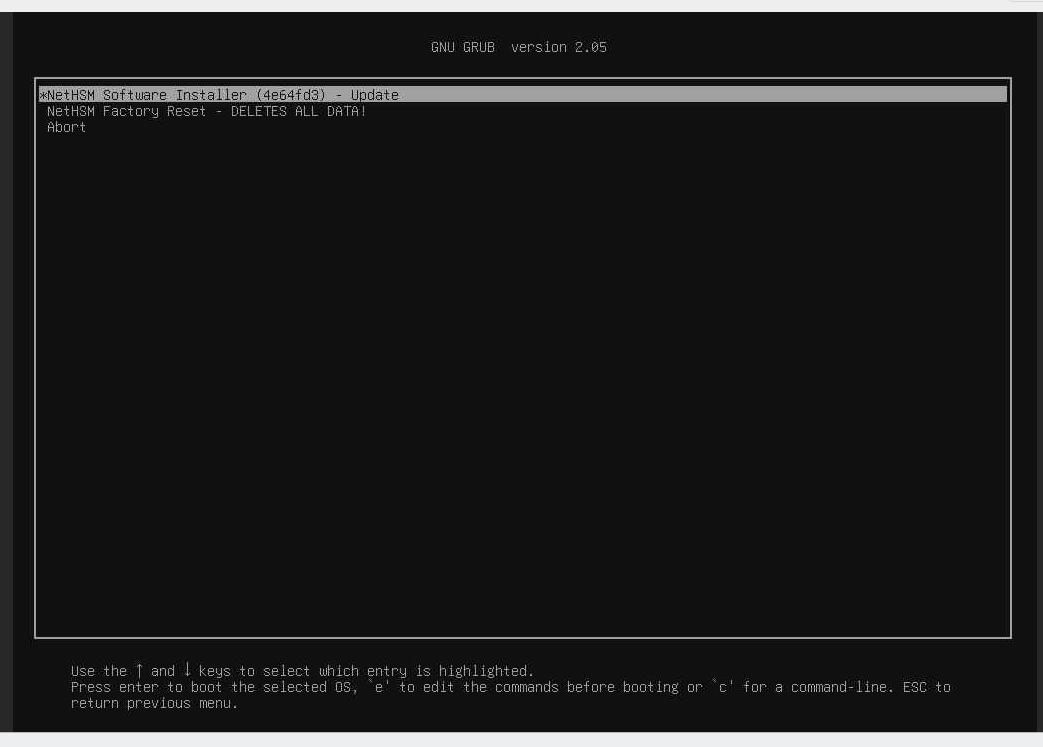
Dopo circa 30 secondi, il NetHSM visualizzerà un menu di avvio sul monitor. Il menu di avvio sarà impostato di default per eseguire l’aggiornamento del software. L’operazione richiederà circa 2 minuti. Al termine dell’aggiornamento, il dispositivo si spegnerà automaticamente.
Alternatively you can select NetHSM automatic boot (USB or primary system) in the first boot menu and then NetHSM Software Installer in the second boot menu.
Avvertimento
Do NOT select NetHSM Factory Reset - DELETES ALL DATA! from the menu.
This will irrecoverably wipe the data on the disk.
Turn on the NetHSM by pressing the power button on the front.
Download the installer image ending with installer.img.zip from the provided private download page.
Decomprimere l’immagine del programma di installazione.
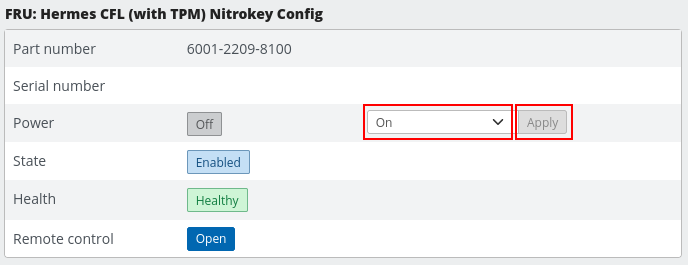
Assicurarsi che il sistema sia spento, ma collegato all’alimentazione, e che il pulsante di accensione sul retro sia acceso.
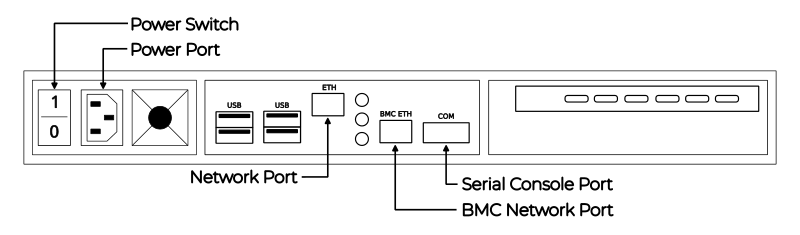
Collegare la porta di rete del BMC con un cavo di rete.
Vedere l’immagine seguente per identificare la porta di rete del BMC.
Per impostazione predefinita, il BMC attende l’assegnazione di un indirizzo con DHCP. Se il DHCP non è disponibile, l’indirizzo link-local può essere determinato con Nmap. Il comando nmap<network-in-cidr-notation>-p80--open restituisce un elenco di host con la porta 80 aperta.
Aprire il sito web di BMC in un browser web, utilizzando l’indirizzo IP determinato nel passaggio precedente. Per l’accesso, le credenziali predefinite sono il nome utente bmc_admin e la password 8mCU$3r0nE.
Importante
In case you encounter an unauthorized login error on the BMC web interface it can be one of the following issues.
Nome utente o password errati.
Durante il reset di fabbrica, il BMC genera un nuovo certificato TLS. Alcuni browser web falliscono con errori di connessione quando il certificato cambia mentre la stessa finestra rimane aperta. Chiudere la finestra del browser web e aprirne una nuova.
Il software BMC a volte presenta il problema di non accettare un cookie di sessione più vecchio che si trova ancora nella cache del browser web. Cancellare la cache del browser web e riprovare.
Mount the downloaded installer image by clicking in the menu on the left on FRU: Hermes CFL (with TPM) Nitrokey Config followed by Virtual media in the submenu.
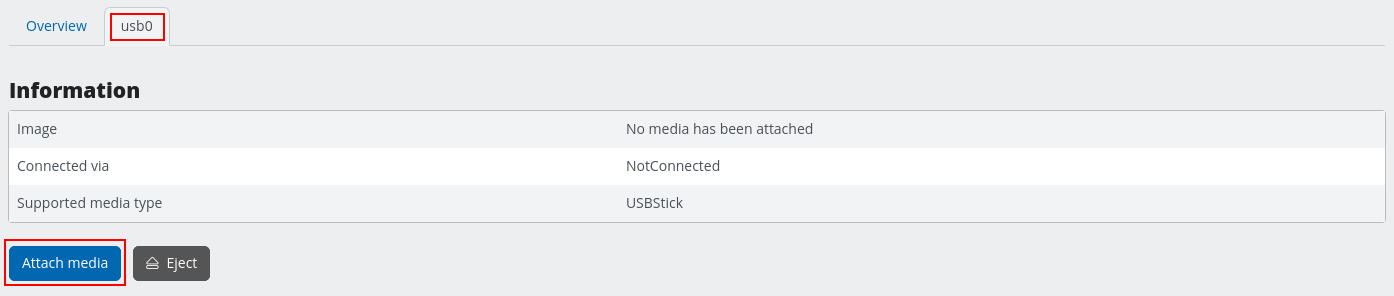
In the middle open the tab usb0, and click the button Attach media.
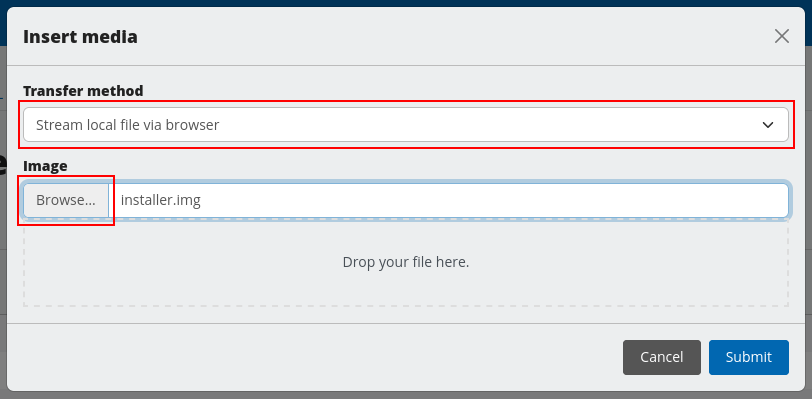
In the opening dialog choose Stream local file via browser as the Transfer method.
Click the button Browse… and choose the downloaded installer image.
Confirm the operation with the Submit button.
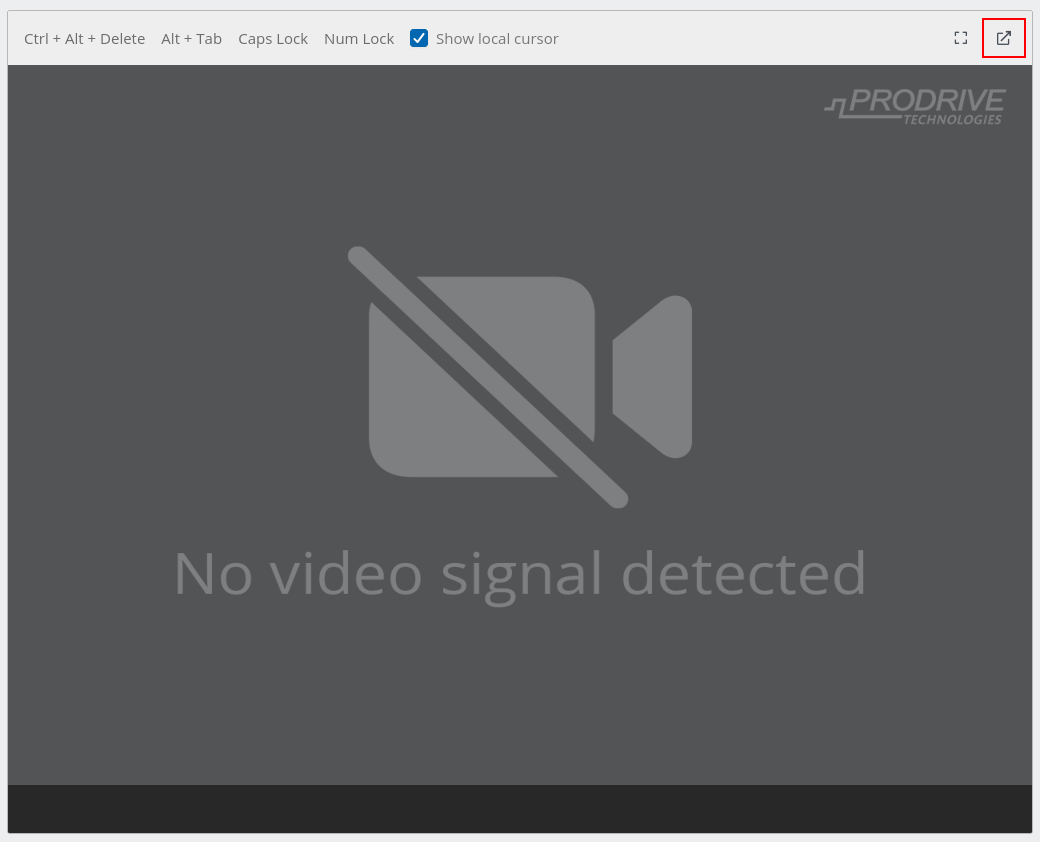
Questa finestra mostra l’output grafico del programma di installazione di NetHSM. Tenere aperta questa seconda finestra insieme alla finestra principale del BMC.
Change to the view Overview from the top of the menu on the left.
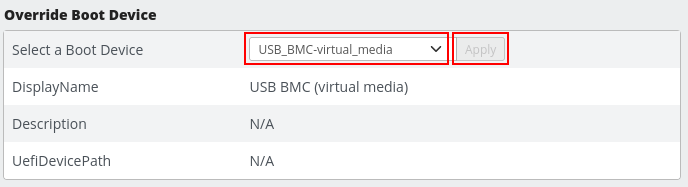
In the box Override Boot Device, select USB_BMC-virtual_media from the drop-down next to Select a Boot Device.