Problēmu novēršana
Šeit atradīsiet biežāk sastopamo problēmu apkopojumu.
Atkopšanas čaulas sākšana
If your OS doesn’t boot as shown below, please execute the following steps:
+++ Found verified kexec boot params
gpg: verify signatures failed: Unknown system error
Invalid signature on kexec boot params
!!!!! Failed default boot
New value of PCR[4]: XXXXXXXXXXXXXXXXXXXXXXXXXXXXX
!!!!!Starting recovery shell
/boot #
Restartējiet klēpjdatoru un atveriet sadaļu Iespējas.
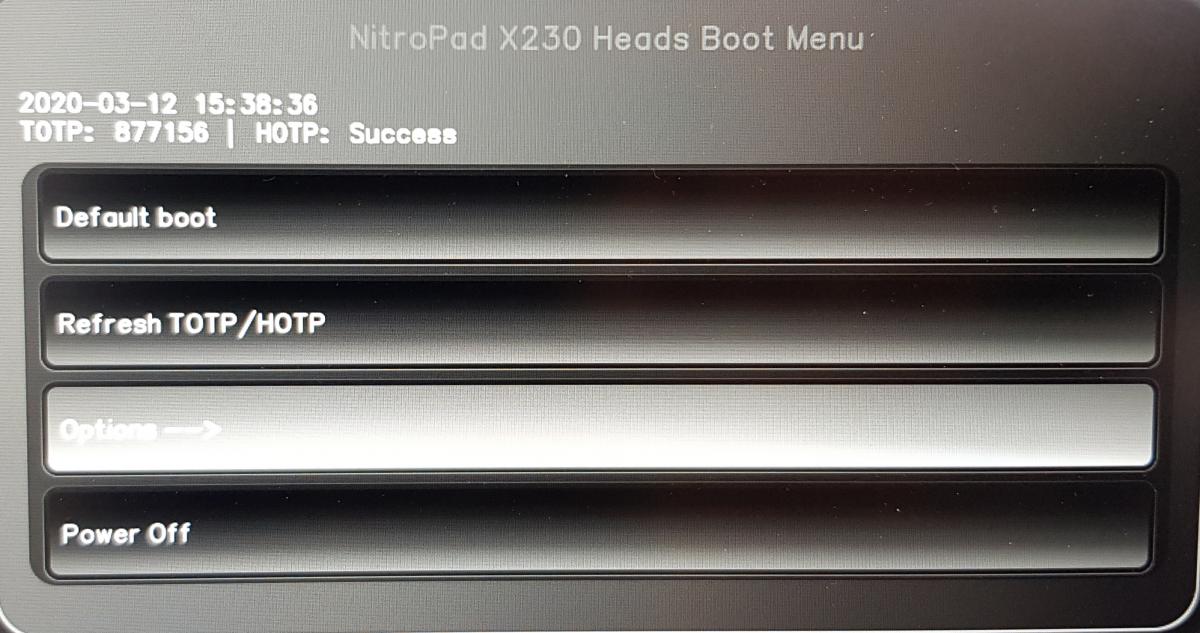
Izvēlieties „Atjaunināt kontrolsummas un parakstīt visus failus /boot“.
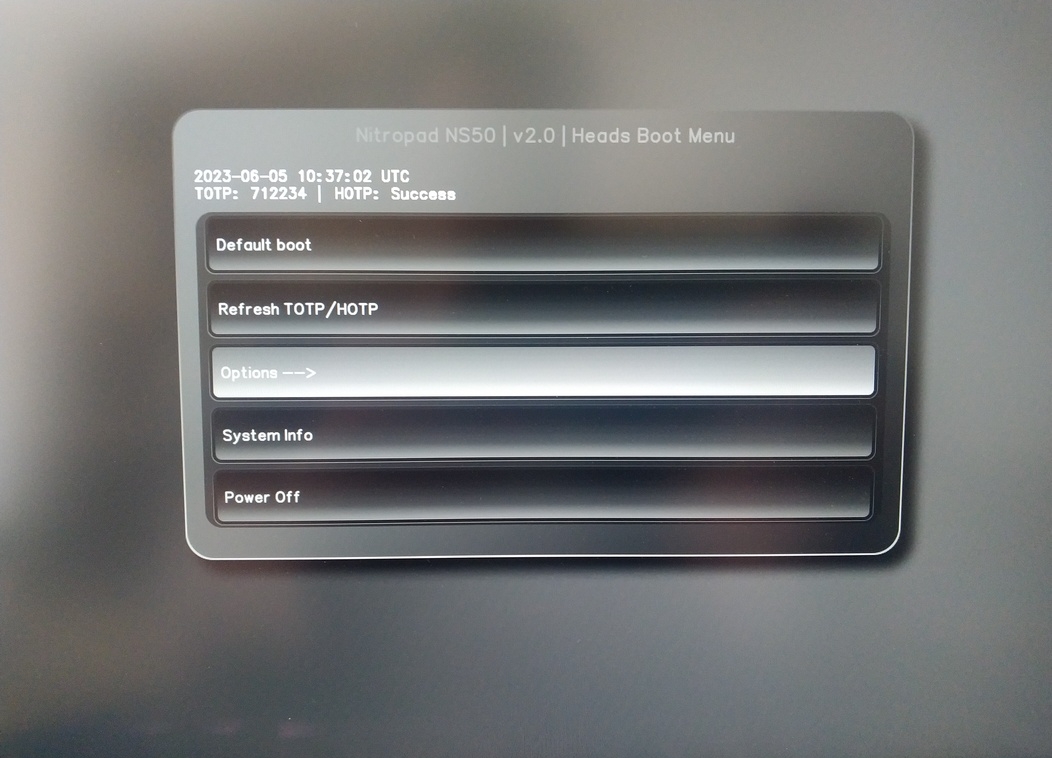
After that, please follow these instructions from step 3 onwards.
NitroPad does not start
If the laptop does not start and only flashes briefly when switched on, please try the following steps:
Izmēģiniet veikt cieto restartēšanu: Izņemiet barošanas avotu un akumulatoru, nospiediet un turiet ieslēgšanas pogu 20 sekundes. Pēc tam atkal pievienojiet barošanas avotu un akumulatoru un startējiet.
Ja tas nedarbojas: Ja tas nedarbojas, noņemiet akumulatoru vai startējiet tikai ar pieslēgtu barošanas avotu.
Varētu arī mēģināt noņemt un atkārtoti ievietot operatīvo atmiņu.
Nederīgs kods
Each boot the code is generated on the NitroPad and the Nitrokey, if its connected. It is allowed to run 10 boots without loosing the synchronization between the devices, after which the bad code signal is shown, regardless of the rest of the system being in a correct state. If you are sure the system was not tampered with (e.g. the NitroPad was booted more than 10 times without the Nitrokey), you can safely reset the system’s warning.
Lūdzu, pievienojiet Nitrokey un galvenajā sāknēšanas ekrānā izpildiet šādu darbību:
Iespējas
TPM/TOTP/HOTP opcijas
Jauna TOTP/HOTP noslēpuma ģenerēšana
un sekojiet ekrānā redzamajam ceļvedim. Pēc tam noslēpums un skaitītājs jāatjauno uz jaunu vērtību.