Factory Reset Heads v2.0+
Raisons de la réinitialisation des paramètres d’usine
Your Nitrokey is locked (e.g. due to multiple incorrect PIN entries)
Vous avez perdu votre Nitrokey (dans ce cas, vous devez d’abord en obtenir une nouvelle).
You have installed an operating system yourself (e.g. after changing the hard disk)
Votre système d’exploitation ne démarre pas
Avertissement
All GPG keys of your Nitrokey will be deleted during this procedure.
Procédure
Connectez votre Nitrokey au NitroPad.
Turn on the NitroPad and interrupt the automatic boot by pressing any key.
Sélectionnez « Options ».
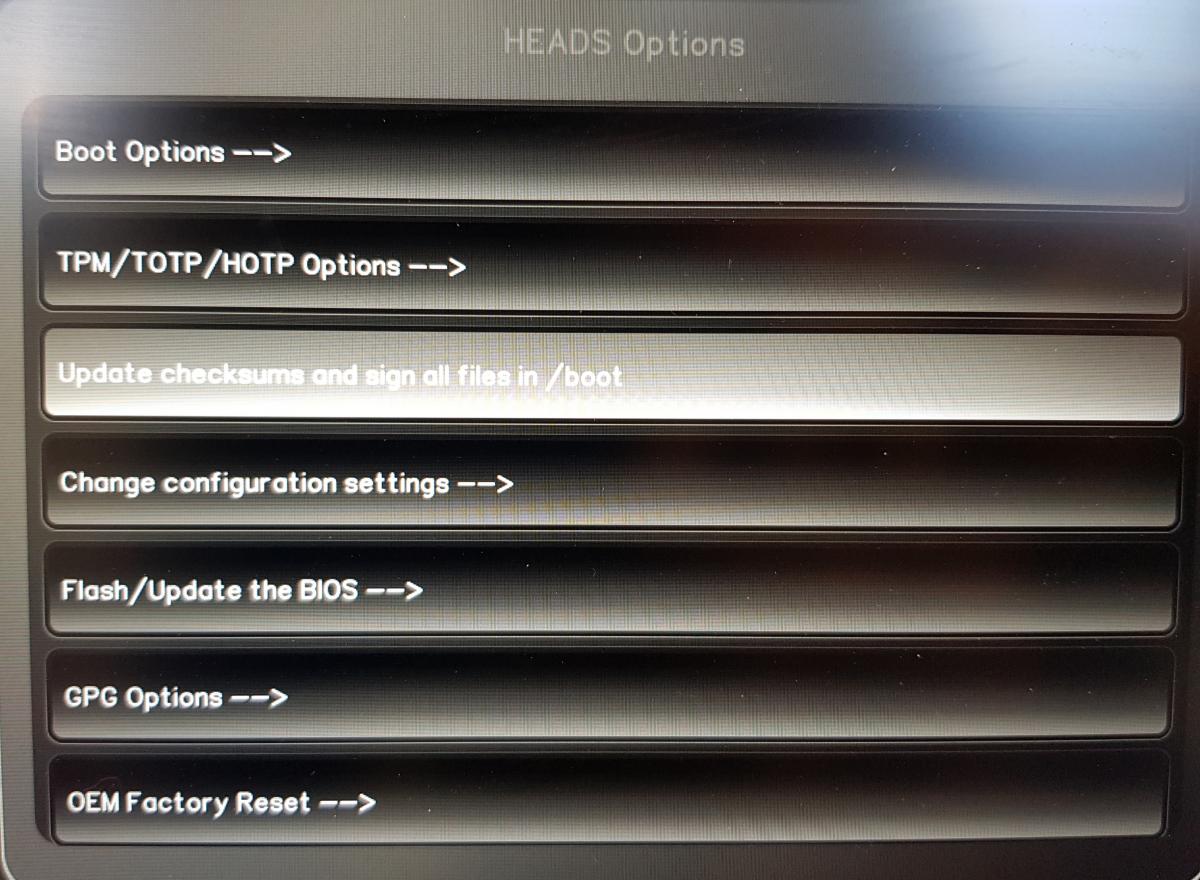
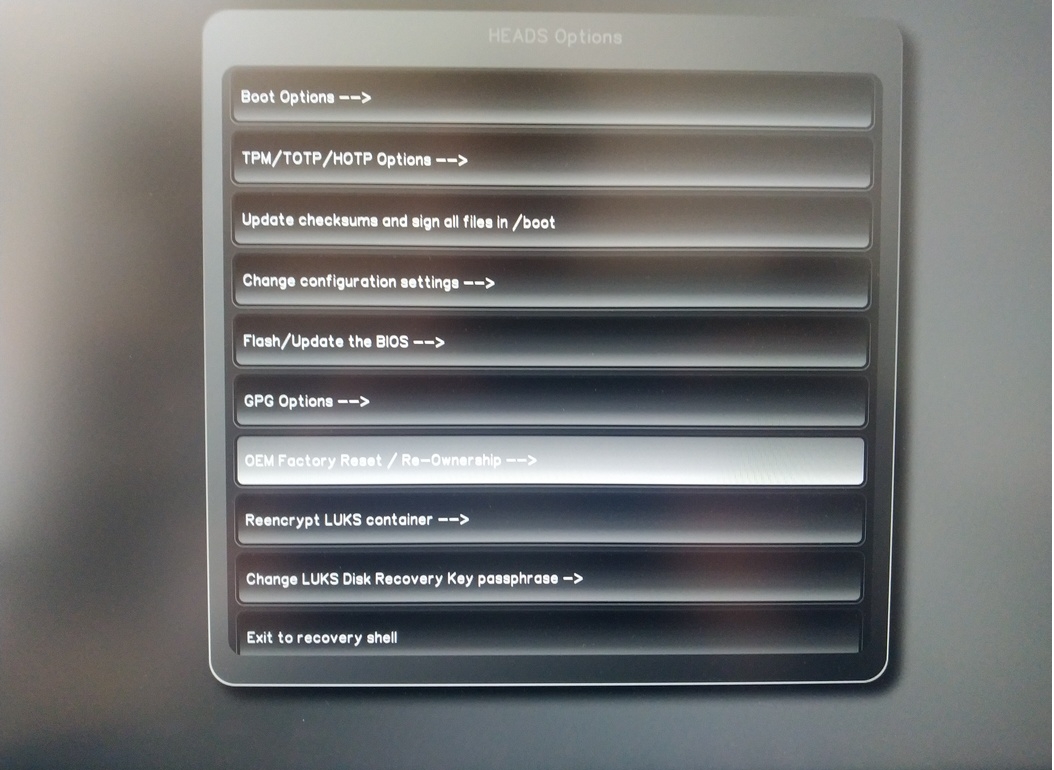
Sélectionnez « OEM-Réinitialisation d’usine/Réappropriation ».
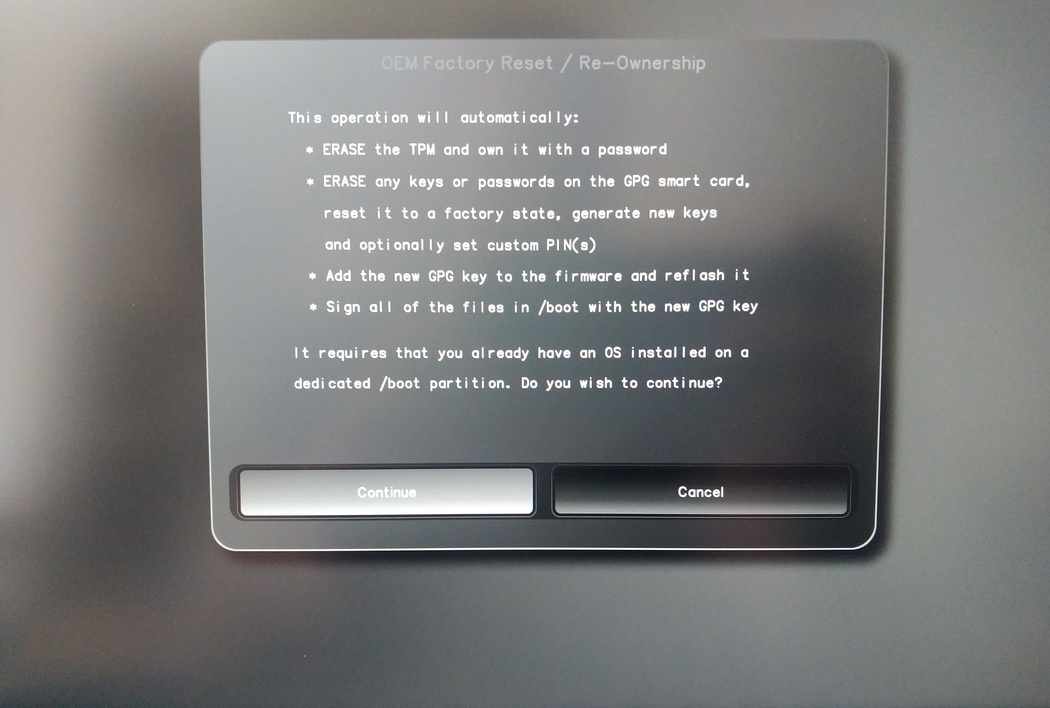
Confirm reset with “Continue”.
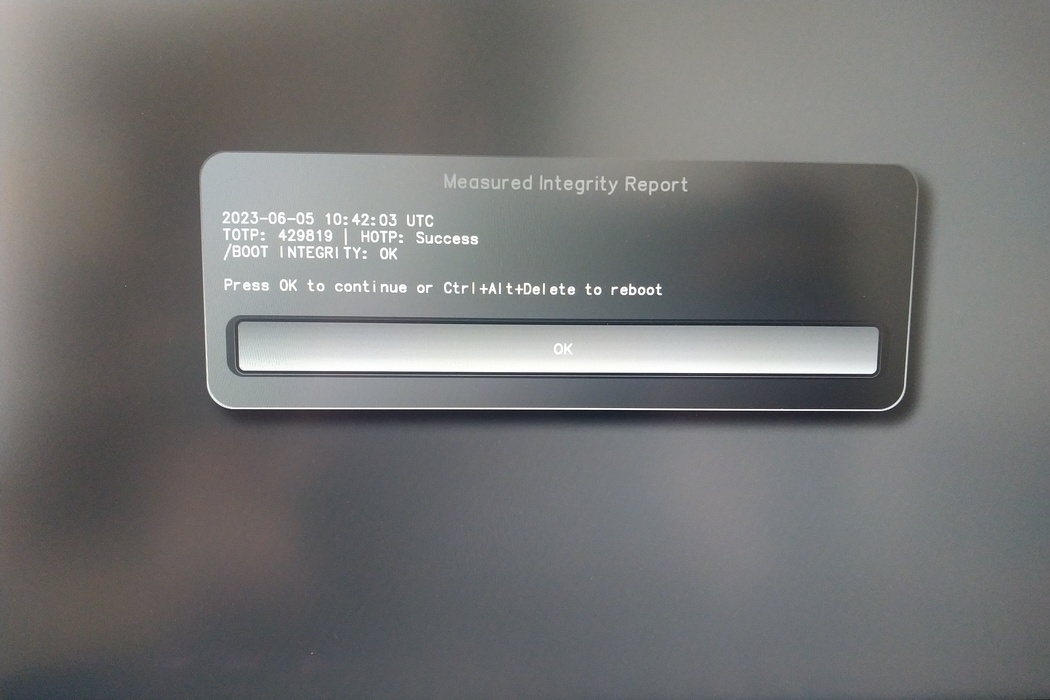
The integrity of your setup will be tested. Depending on your reason to perform the reset this can fail; continue with « OK » anyway.
You will be prompted with:
Would you like to use default configuration option?
If N, you will be prompted for each option [Y/n]:

You can hit enter for the default option (Y).
Une deuxième invite s’affiche :
Would you like to export your public key to an USB drive? [y/N]:
Choisissez également l’option par défaut (N) en appuyant sur la touche Entrée.
Vous devrez toucher votre Nitrokey pendant ce processus lorsque cela vous sera demandé.
Il affiche désormais tous les codes PIN utilisés par Heads :
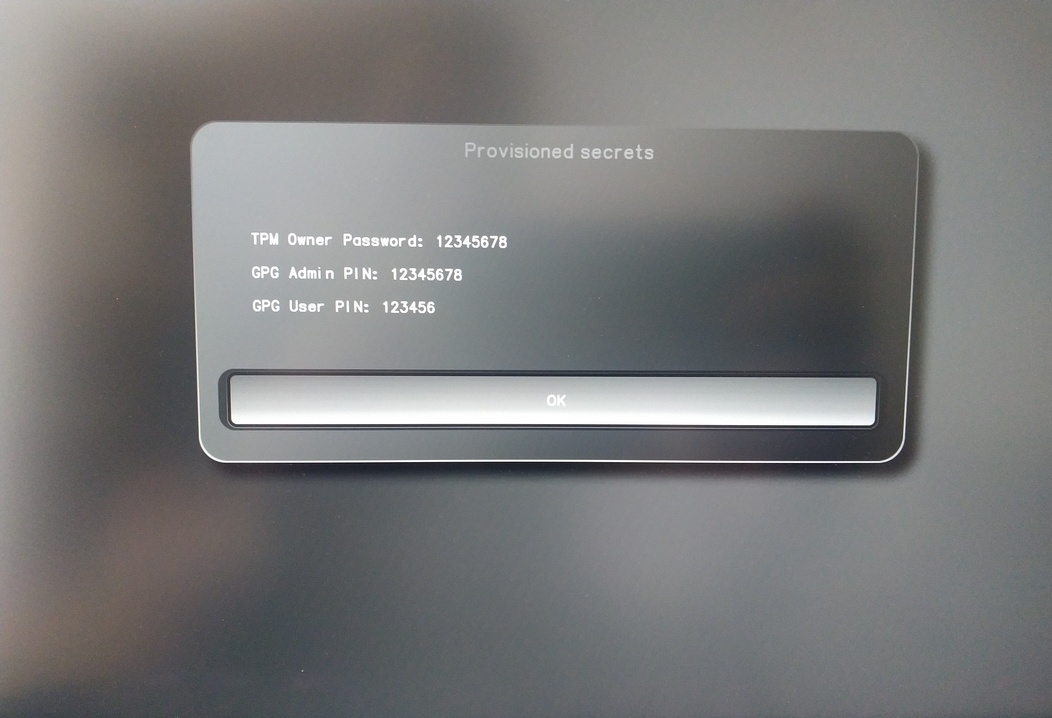
Vous en aurez besoin pour certaines procédures, alors n’oubliez pas de vous en souvenir.
Confirm the subsequent restart.
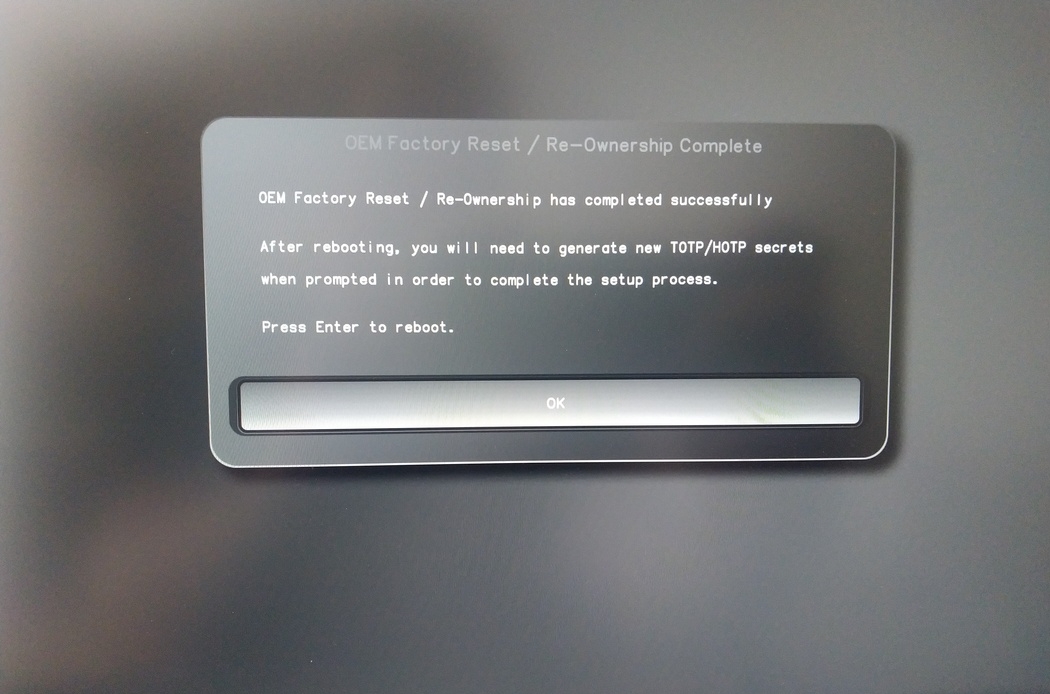
Après le redémarrage, le secret OTP doit être créé. Confirmez le processus avec Enter.
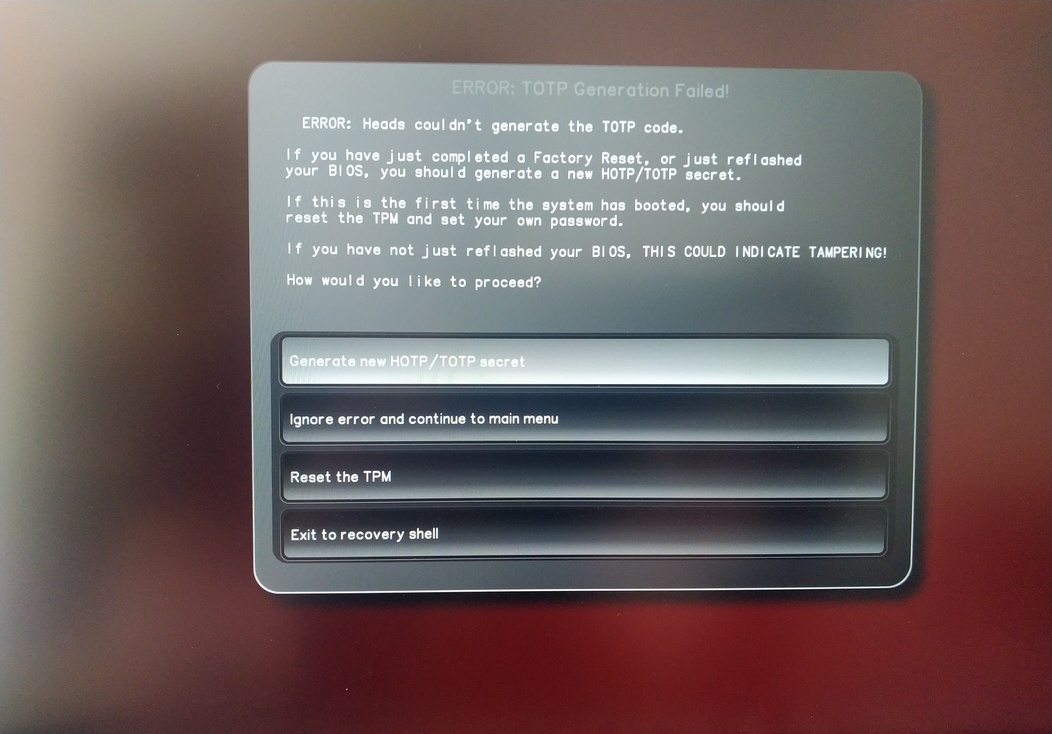
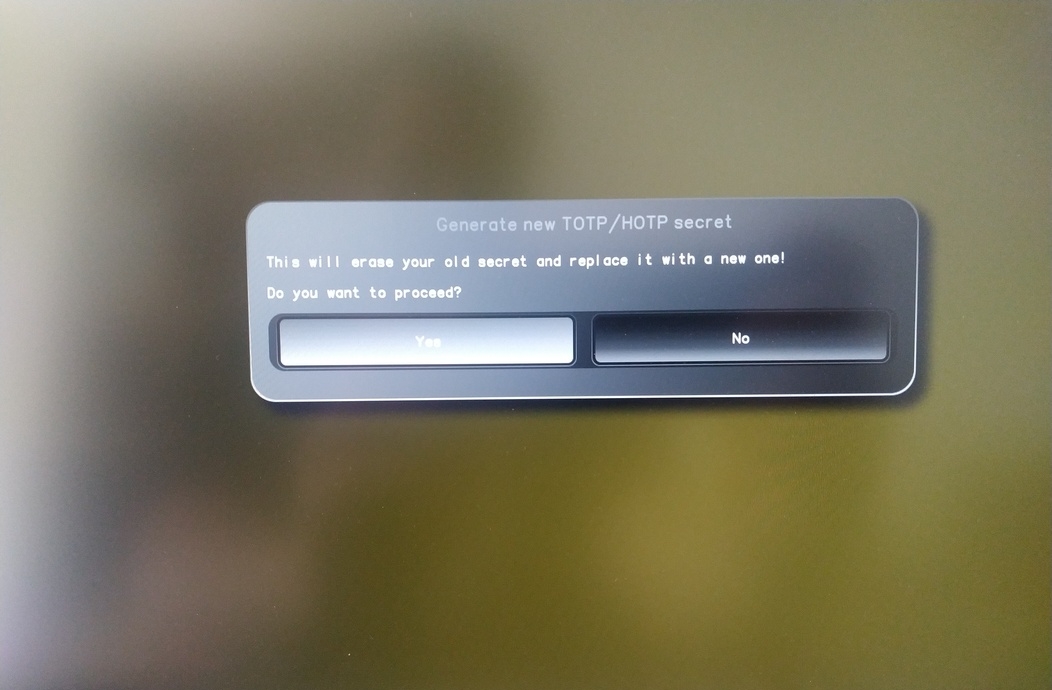
Enter TPM Owner Password (Default:
12345678)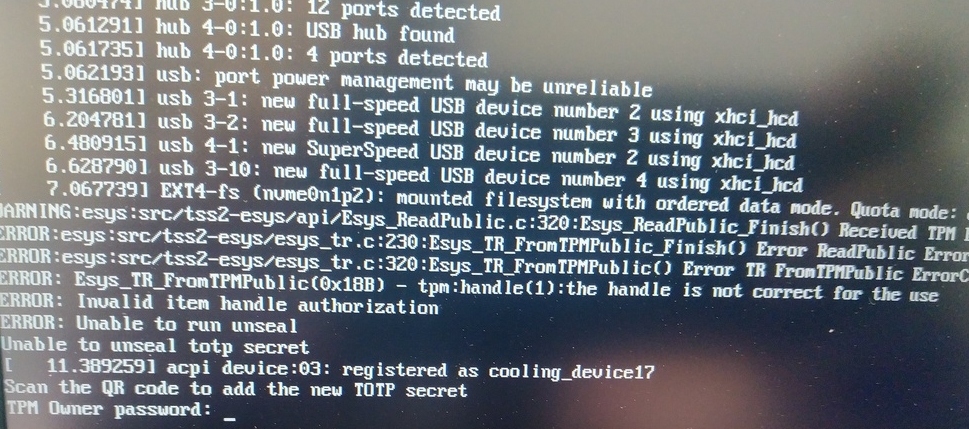
Scan QR code with Phone to import TOTP Secret (optional) and hit Enter
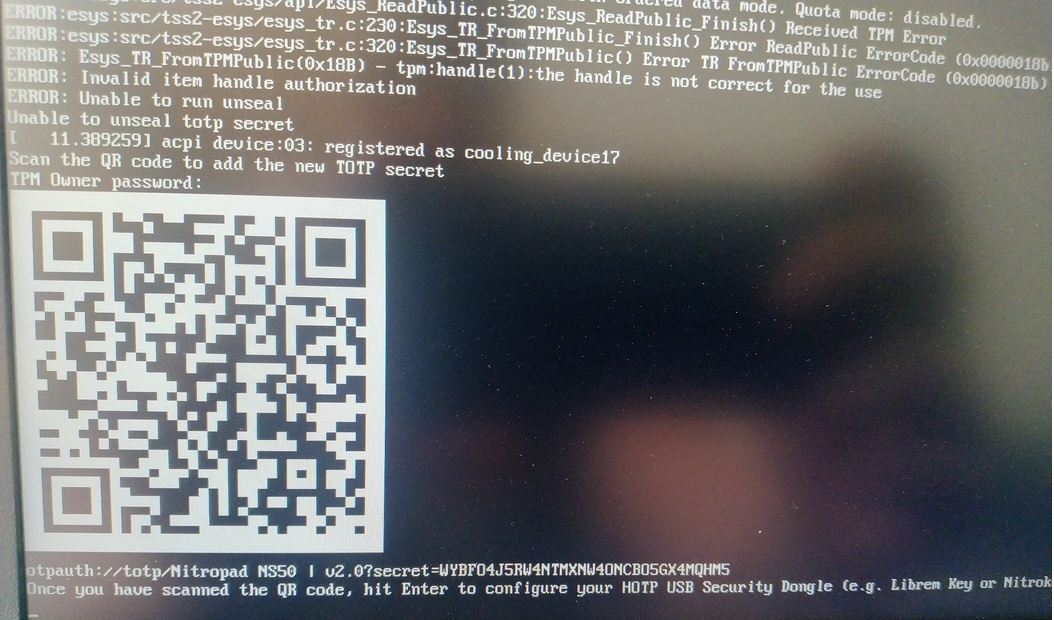
When asked touch your Nitrokey.
When prompted, enter the Secret App PIN of your Nitrokey (Default: 12345678) and hit Enter
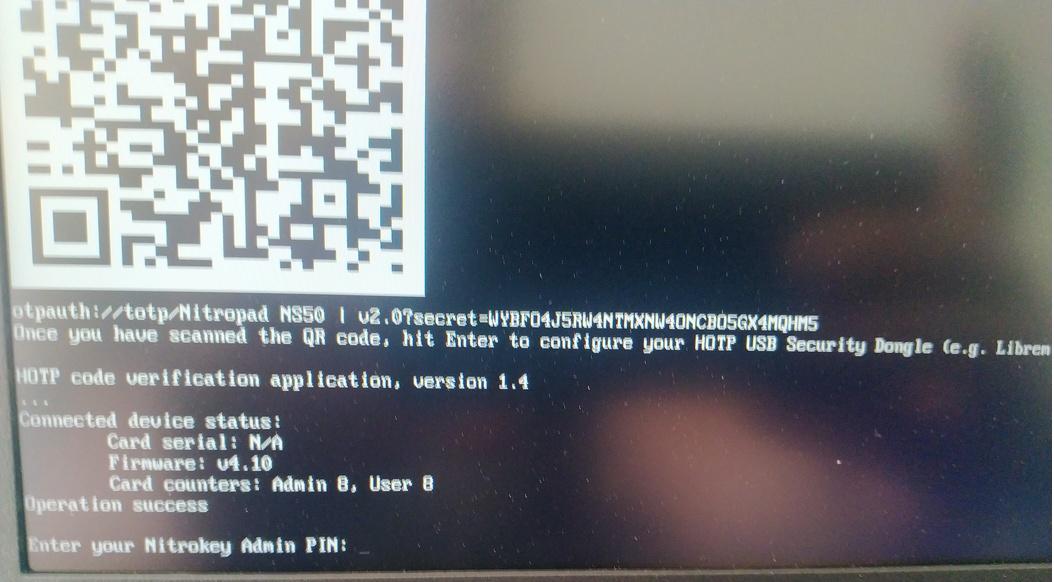
Appuyez sur la touche Entrée et le démarrage automatique commencera.
Vous devez maintenant sélectionner votre démarrage par défaut, choisir la première option et la mettre par défaut.

Le message suivant s’affiche :
Do you wish to add a disk encryption key to the TPM [y/N]:
Hit enter to choose the default option (N).
Please confirm that your GPG card is inserted [Y/n]:
Here also hit enter for the default option (Y).
It will ask for the Admin PIN which is by default (123456).
La réinitialisation est terminée et vous démarrez avec le système d’exploitation installé.
Connectez votre Nitrokey au NitroPad.
Allumez le NitroPad.
Sélectionnez « Options ».
Sélectionnez « OEM-Réinitialisation d’usine/Réappropriation ».
Confirmer la réinitialisation en cliquant sur « Continuer ».
The integrity of your setup will be tested. Depending on your reason to perform the reset this can fail; continue with « OK » anyway.
Les questions suivantes peuvent toutes être répondues par la valeur par défaut. Appuyez simplement sur Entrée si vous souhaitez uniquement réinitialiser votre appareil.
Would you like to change the current LUKS Disk Recovery Key passphrase?
(Highly recommended if you didn't install the Operating System yourself, so that past provisioned passphrase would not permit to access content.
Note that without re-encrypting disk, a backuped header could be restored to access encrypted content with old passphrase) [y/N]: N

Would you like to re-encrypt LUKS encrypted container and generate new Disk Recovery key?
(Highly recommended if you didn't install the operating system yourself: this would prevent any LUKS backuped header to be restored to access encrypted data) [y/N]: N

The following security components will be provisioned with defaults or chosen PINs/passwords:

TPM Ownership password
GPG Admin PIN
GPG User PIN

Would you like to set a single custom password that will be provisioned to previously stated security components? [y/N]: N

Would you like to set distinct PINs/passwords to be provisioned to previously stated security components? [y/N]: N

Would you like to set custom user Information for the GnPG key?[y/N]: N

Would you like to set custom user information for the GnuPG key? [y/N]: N

Checking for USB Security Dongle...

Detecting and setting boot device...

Boot device set to /dev/nvme0n1p2

Resetting TPM...

Resetting GPG Key...
(this will take around 3 minuts...)

Changing default GPG Admin PIN

Changing default GPG User PIN

Reading current firmware
(this will take a minute or two)

Adding generated key to current firmware and re-flashing...

Signing boot files and generating checksums
Il affichera les PINS GPG et le mot de passe TPM par défaut.

Confirm the subsequent restart.
Après le redémarrage, le secret OTP doit être créé. Confirmez le processus avec Enter.
Saisir le mot de passe du TPM (par défaut : 12345678)
Scan the QR code with your phone to import the TOTP secret (optional) and hit Enter.
When prompted, enter the Admin PIN of your Nitrokey (Default:
12345678) and hit Enter.
Vous devriez alors atteindre le menu Démarrer.
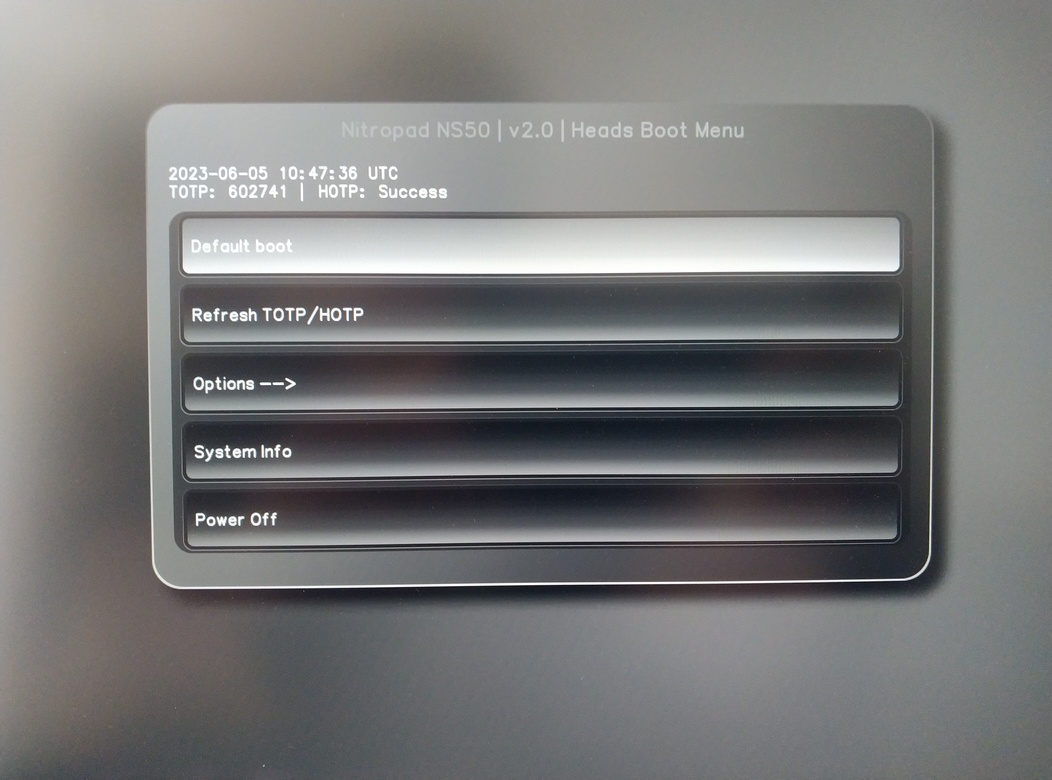
Appuyez sur Enter pour lancer le « Default Boot ».
Note
If you see the message that no default exists yet, please follow the procedure described in default boot.