Začíname
To access the OpenPGP smart card of the Nitrokey, install the package libccid. On Debian/Ubuntu based Distributions type in terminal: .. code-block:: bash
$ sudo apt-get update && sudo apt-get install libccid
Important: Once you plug in the Nitrokey, your computer will start the Keyboard Setup Assistant. Don’t run through this assistant but exit it right away.
Pripojte kľúč Nitrokey k počítaču a potvrďte všetky dialógové okná, aby sa ovládač zariadenia USB smart card nainštaloval takmer automaticky.
Poznámka
Systém Windows môže zlyhať pri inštalácii dodatočného ovládača zariadenia pre čipovú kartu. Toto upozornenie môžete ignorovať.
Stiahnite a spustite aplikáciu Nitrokey.
Stiahnite a spustite aplikáciu Nitrokey. Možno ju chcete uložiť na nešifrovaný oddiel vášho úložiska Nitrokey
Download and start the Nitrokey App. Perhaps you want to store it on the unencrypted partition of your Nitrokey Storage. There won’t open a window, but an icon appears in the system tray (see screenshot below). Please right-click on this icon to use all the options of the App.
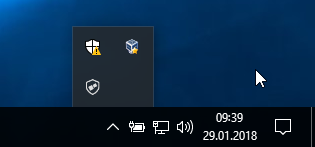
Open the About window from Nitrokey App’s menu and check if you have the latest firmware installed. If it’s not the latest, please update.
Pomocou aplikácie Nitrokey môžete zmeniť predvolený PIN používateľa (predvolený: 123456) a PIN administrátora (predvolený: 12345678) na vlastné voľby.
Váš kľúč Nitrokey je teraz pripravený na použitie.
Poznámka
Pre niektoré verzie systému MacOS je potrebné nainštalovať vlastný ovládač ccid (informácie nájdete tu), ale vo všeobecnosti by mal mať systém MacOS ovládač zabudovaný.
V mnohých opísaných prípadoch použitia je potrebné mať v zariadení nainštalované kľúče OpenPGP alebo S/MIME (pozri nižšie).
Vytváranie kľúčov pomocou OpenPGP alebo S/MIME
Existujú dva široko používané štandardy na šifrovanie e-mailov. Zatiaľ čo OpenPGP/GnuPG je obľúbený medzi jednotlivcami, S/MIME/x.509 používajú najmä podniky. Ak máte pochybnosti, ktorý z nich si vybrať, mali by ste použiť OpenPGP.
To learn more about how to use OpenPGP for email encryption with the Nitrokey, please refer to chapter OpenPGP Email Encryption.
To learn more about how to use S/MIME for email encryption with the Nitrokey, please refer to chapter S/MIME Email Encryption.