Windows-kirjautuminen ja S/MIME-sähköpostin salaus Active Directoryn avulla
Compatible Nitrokeys |
|||||||
|---|---|---|---|---|---|---|---|
✓ active |
⨯ inactive |
⨯ inactive |
✓ active |
⨯ inactive |
✓ active |
✓ active |
⨯ inactive |
Huomaa, että tämä ohjain on vielä kehitys- tai testausvaiheessa. Kerro meille kokemuksistasi! Katso yhteydenottosivumme.
Edellytykset
This guide assumes that an Active Directory server with role Active Directory Certificate Services is installed and running on a server. These instructions are based on Nitrokey Storage 2 and Nitrokey Pro 2 only.
OpenPGP-CSP:n asentaminen
This step is needed for clients to use the OpenPGP-CSP driver. Download and install the latest version of the installer file SetupOpenPGPCsp for your system architecture, for SetupOpenPGPCsp_x64.msi for 64-bit systems.
Voit haluta asentaa ohjaimen myös palvelimelle, jotta voit pakottaa ohjaimen käytön mallissa (katso alla).
Varmennemallin luominen palvelimen puolella
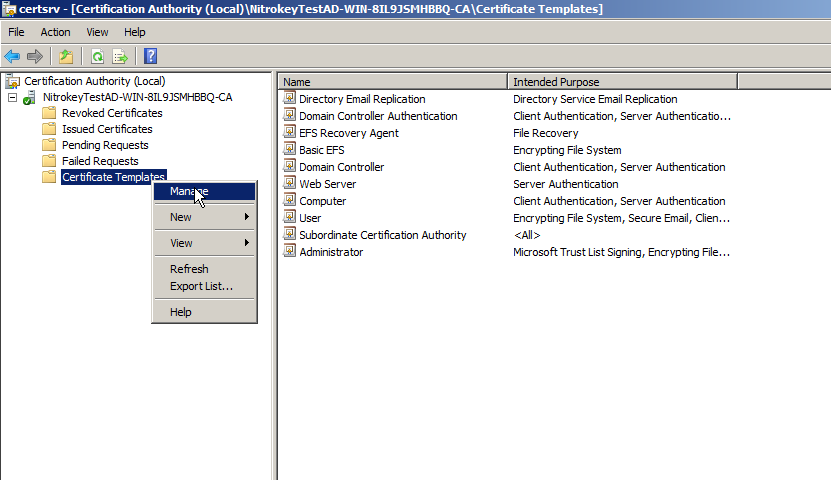
On Active Directory Server open certsrv.msc to manage your certificate templates. Right click on Certificate Templates and choose Manage.
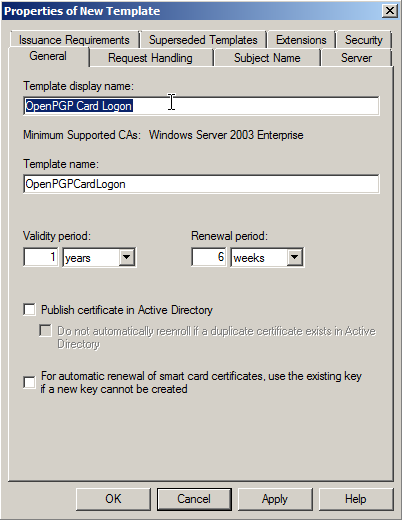
Now right click on Smartcard Logon template and click Duplicate, to create a new template on basis of this standard template. Rename template to OpenPGP Card Logon and Email or alike.
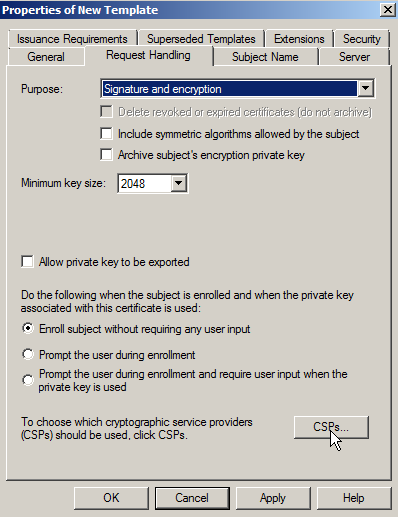
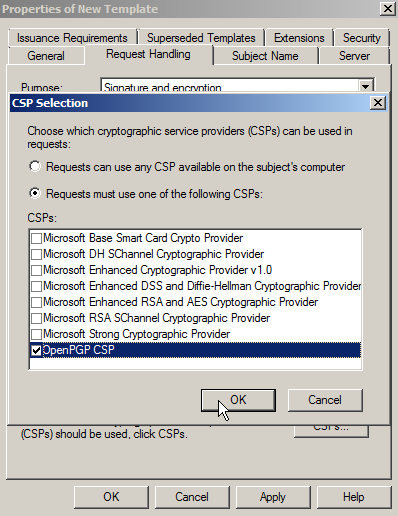
Under Request Handling, you can choose the OpenPGP-CSP as the one and only Cryptography Service Provider (click the Button labeled CSPs…). For this to work, you need to install the driver on the server as well and you have to insert a Nitrokey beforehand. This is optional. You can let the user choose, which CSP to use.
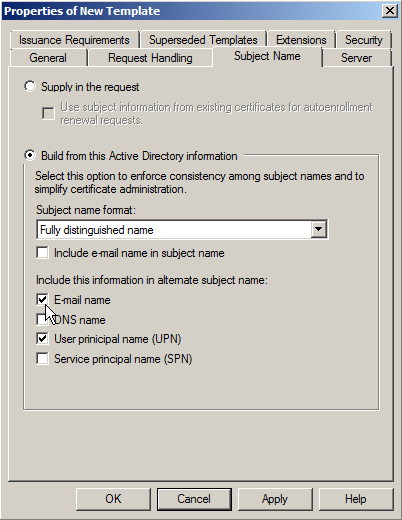
For enabling S/MIME email encryption go to Subject name. Tick the checkbox E-Mail name (note: You must save the mail addresses of your users in the corresponding Active Directory field!).
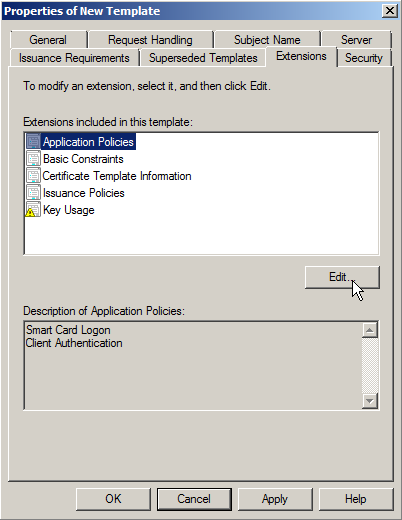
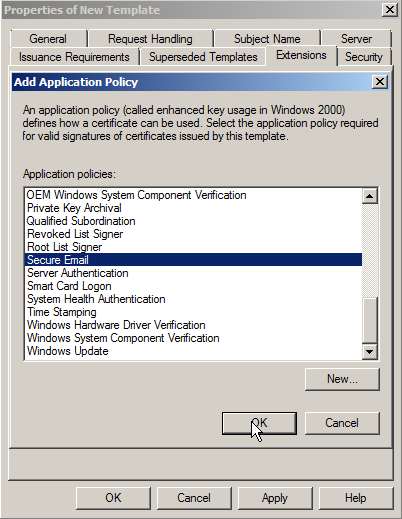
Then go to Extensions, there you edit the applications guideline and add Secure Email.
Varmenteen pyytäminen asiakkaalta (toimialueen jäsen)
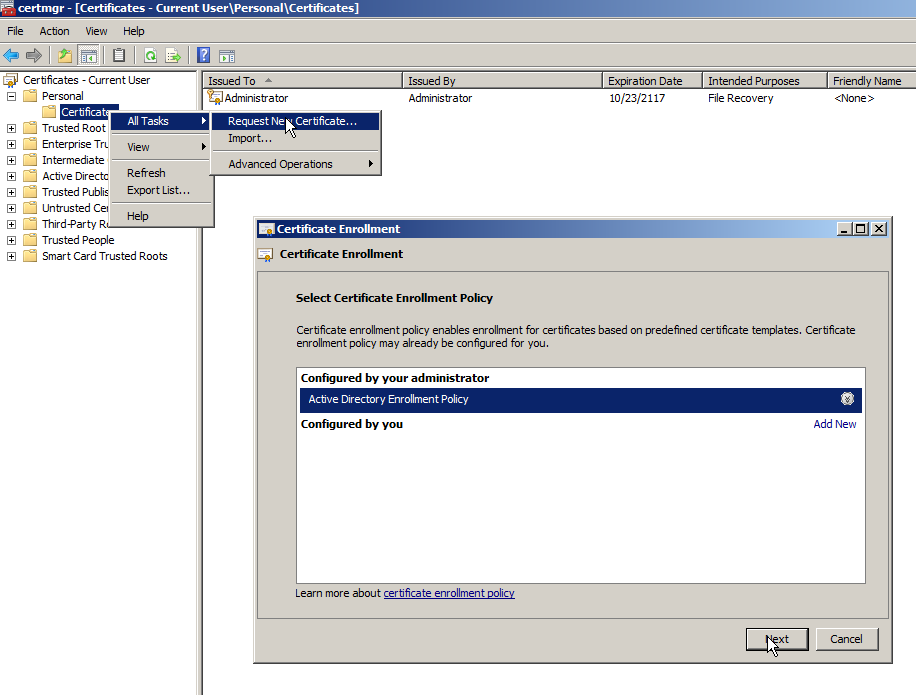
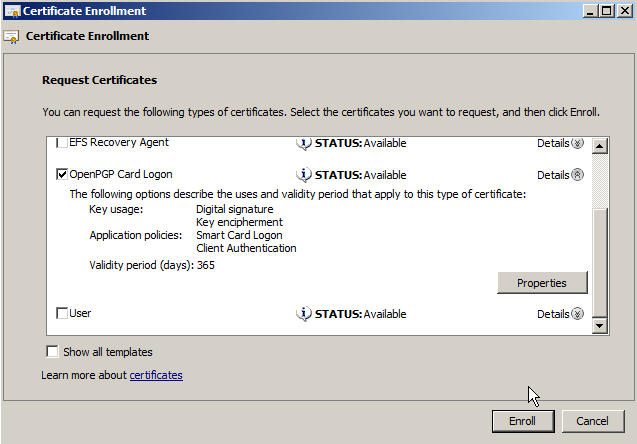
To request a certificate for a domain member, you have to open certmgr.msc. Right click on folder Personal -> Certificates and click All Tasks -> Request New Certificate and choose the template you created on the AD.
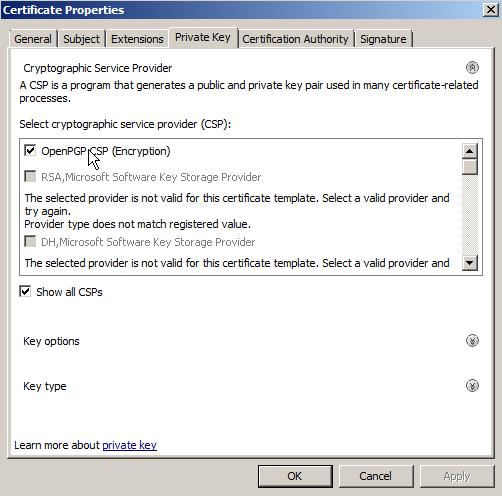
Jos et ole valinnut OpenPGP-CSP:n käyttöä, sinun on valittava se nyt.
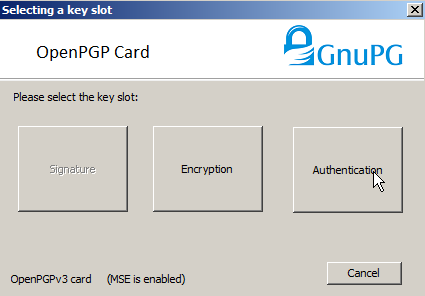
Seuraavaksi valitset varmenteen todennuspaikan.
You are now ready to logon on the computer with the Nitrokey instead of your password and you can use S/MIME email encryption/signing with the Nitrokey. The driver has to be installed on every computer you want to use the certificate on.